

The context: your brand, written once
Write the voice, colours, typefaces, text styles and assets on one page. The other tools read from here.
Free, with no account. Nothing is uploaded to a server.
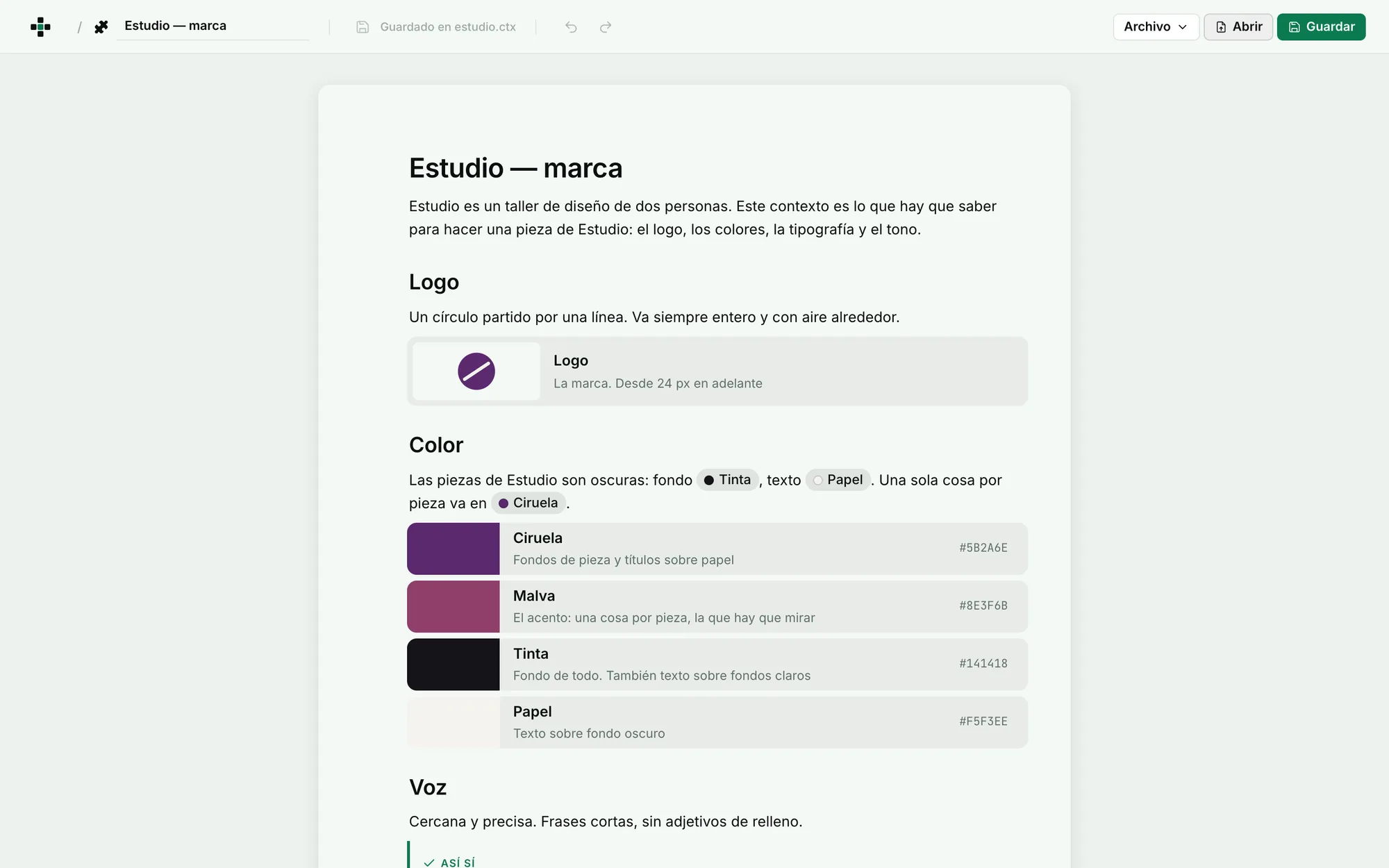
What a context holds
- The voiceHow to write and how not to, with examples of both.
- The coloursEach with its name and what it is for. The pieces call them by name.
- The typefacesThe fonts travel inside the file, not just their names.
- The assetsLogos, images and sounds attached, each with its rule of use.
- The text stylesHeadline, body, label: named, so a piece does not make them up.
- Spacing and motionNamed spacings, layouts and motions, for image and video.
How it is used
You write itOn a page, like a document. What is the format's own is inserted without knowing its syntax.
You save it where you likeOn your computer or in your Google Drive. It is one .ctx file: you send it and it arrives whole.
The tools and your assistant read itA document, an image or a video take the colours, the typefaces and the voice from it.
estudio.ctx › context.md
# Studio

Use @[Plum] for titles and backgrounds.

::color[Plum](#5B2A6E) — Piece backgrounds
::color[Paper](#F5F3EE) — Text on dark
::font[Headlines](attached/titulares.woff2)
::asset[Logo](attached/logo.svg) — Only at the end

:::example{bad}
Buy now, it's free.
:::
With your assistant
The ctx skill teaches your AI assistant to read a context, to create one from a brandbook and to update it.
“Build my brand's context from these files”


Start with your context.
The editor is free and asks for no account. You open your file from your computer and save it to your computer.